Build Projects
Build an Underground Workroom With a Clear Exit
Excavate a useful underground room with a clear exit, lighting and separated work zones.
Start Building on HyperBlocks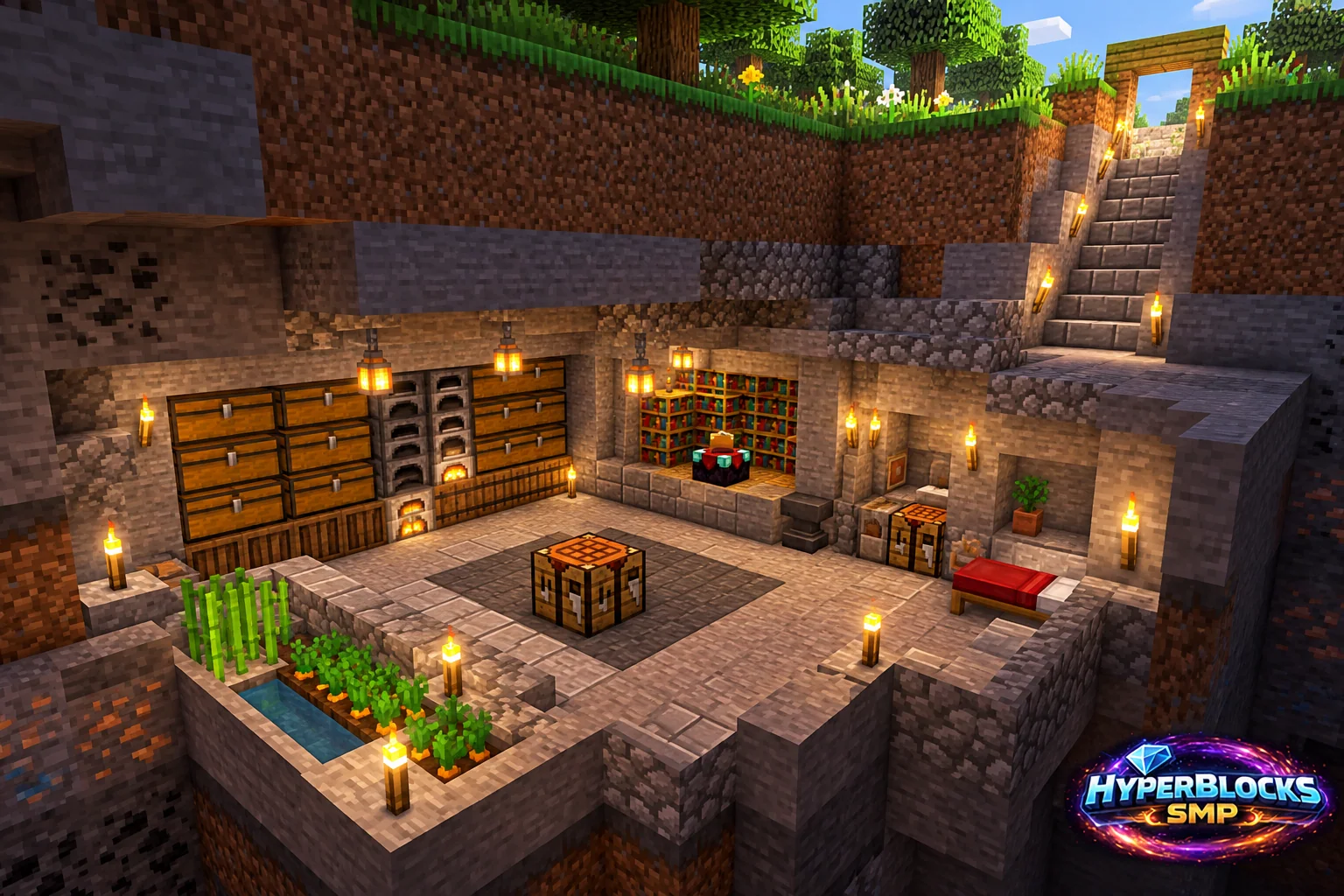
Plan the Footprint
Suggested working layout: Suggested 7 by 7 floor with a three-block-high clear interior. Mark the area before committing the full material supply. The illustration is a concept view; use the stated dimensions and working instructions for the layout. Keep access, neighboring builds and storage in view while planning.
Build the Working Layout
Mark the entrance and floor height first. Excavate a small safe section, inspect for cavities or fluids and add lighting as you go. Do not remove the entire ceiling blindly while standing beneath unknown terrain. Keep a temporary route back to the surface usable throughout the work.
Arrange the Daily Routine
Put noisy or visually busy processing stations on one side and storage on another. Keep the center and exit corridor clear. Finish the floor and essential lighting before adding a decorative ceiling that could hide the room’s access route.
Check Before Expanding
Walk from the surface to each workstation and back without relying on a temporary block jump. Check headroom along the entrance and stairs. On HyperBlocks, verify claim coverage and permissions for the underground working area rather than assuming a nearby surface marker is enough information.
Quick Reference
| Suggested Footprint | Suggested 7 by 7 floor with a three-block-high clear interior |
|---|---|
| Starting Materials | Tools for excavation; floor and lining blocks; lights; stairs or ladder; selected workstations and storage |
| Scope | Original suggested layout; optional decoration is additional |
Play This on HyperBlocks
On HyperBlocks Survival, land claims let you set permissions around your build. Plan the boundary before placing shared storage, then give friends only the access they need.
Reference and Further Reading
Build layouts are original suggestions. Check your edition, version and current server menus when applying game mechanics or server settings.
Your Next Adventure
Give Your Next Build a Place to Grow
Turn your building plan into a Survival home, then choose who can build, open containers and visit. Start with a small claim around your first workshop and expand when you need more room.